
Scan the two printed lines.
Point the camera at the two lines at the bottom of the photo page, or type them in. They are the key that lets the chip answer.
Passriva reads the chip inside your own passport and shows you what it holds: your details, your photo, and whether the issuing country’s signature on that data checks out.
Join the beta on TestFlightBeta opens soon
Free. iPhone with iOS 17 or later.
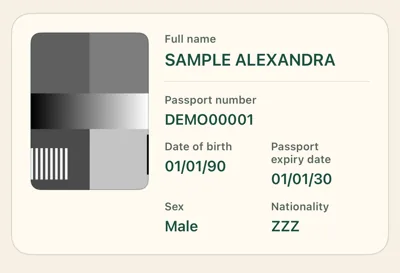
A sample of the two machine-readable lines printed at the bottom of a passport, for the specimen state Utopia and the fictional holder Sample Alexandra.

Sample data. Utopia is the fictional state used in passport specimens.
Two steps, a few seconds.
Point the camera at the two lines at the bottom of the photo page, or type them in. They are the key that lets the chip answer.
Rest the top of the iPhone on the closed passport for a few seconds while the chip is read.
Name, passport number, dates, nationality and the photo stored in the chip, with the result of each check beside them.
Everything.
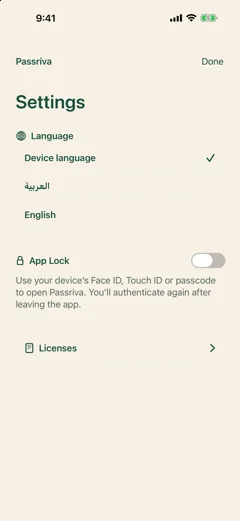
Lock the app with Face ID.
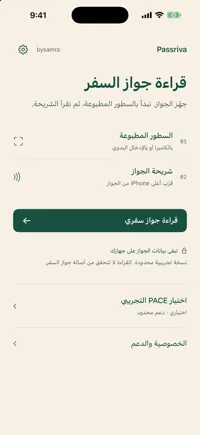
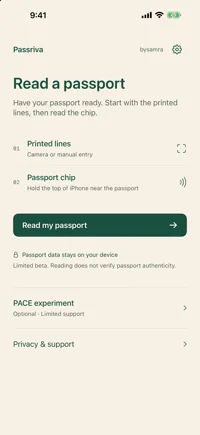
Arabic and English, with full right-to-left layout.
A precise claim, and its limits.
Each passport chip carries a signature from the country that issued it. Passriva checks that signature against a master list of country certificates published by Germany, which is built into the app. “Verified” means the data in the chip was signed by that country and has not been altered since.
It does not mean the passport is still valid, that it has not been reported lost or stolen, or that the person holding it is its owner. Passriva is not an identity check.
If your country’s certificate is not in the built-in list yet, the app says it could not verify the signature. That is a limit of the beta, not a problem with your passport.
Short answers.
Passports with the chip symbol on the cover. Identity cards and residence permits are not supported yet.
Usually in the back cover or the photo page. Rest the top edge of the iPhone on the closed passport and move it slowly until the reading starts. Take the phone out of a thick case if nothing happens.
The chip only answers a reader that already knows part of what is printed inside the passport. That is how passports stop someone from reading the chip through your pocket.
A newer way of opening the chip, used by many passports issued in the EU since about 2015. It is experimental in this beta. If your passport does not offer it, the app tells you and the ordinary reading still works.
Yes. It is a beta on Apple’s TestFlight, limited in features and in the number of testers.
Passriva is designed and developed by bysamra.
Read the chip in your passport. On your iPhone, and nowhere else.
Join the beta on TestFlightBeta opens soon
Free. iPhone with iOS 17 or later.